Launch a Derivative

Five steps: pick a launchpad, peg a stock, set your strategy, deploy, register. The engine handles everything after that.

Pick Your Launchpad

Where will your token live? Fill works with the top Robinhood Chain launchpads.

Before you start: you'll need a wallet with a little ETH on Robinhood Chain (0.0005 ETH launch fee + gas). No ETH there yet? Bridge from Ethereum with the official Arbitrum bridge (pick Robinhood Chain as the destination, ~10 min) or faster routes like Across. Chain ID 4663 — beware of fake "bridge" sites.

Pick a Stock & Direction

Choose the stock your token tracks, the direction, a leverage cap, and how aggressively the bot should trade.

ⓘ Stock perps trade only while the US market is open (Mon–Fri 9:30am–4:00pm ET, plus extended sessions per strategy). Creator fees collect around the clock and queue for the next session.

Selected: LONG @ up to 50x · DEGEN

Name Your Derivative

Choose a ticker symbol. This will be the token name on your launchpad.

Setup on Pons

Create your token with these exact settings.

Verify & Register

Paste your token address. We verify the on-chain configuration.
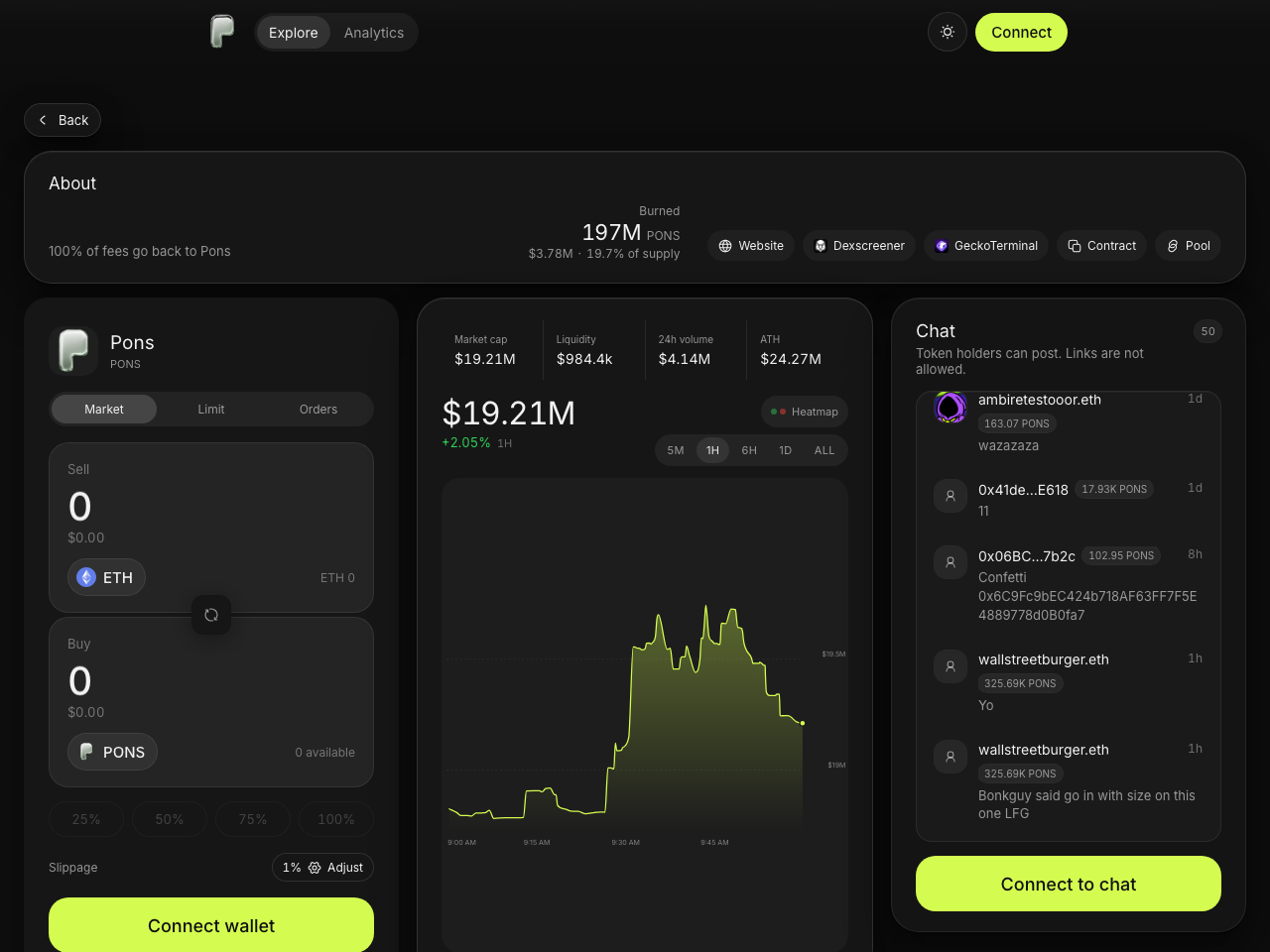
where to find your token address click to enlarge ⤢
A Pons token page — the Contract button copies the token address
After launching, open your token's page — the Contract button copies the address, and it's also right in the page URL (ponsfamily.com/launchpad/0x…). Same idea on LaunchHood: launchhood.com/token/0x….


What happens after you register
The engine claims your creator fees automatically, trades stock perps on-chain (on the active venue) under the strategy you chose, and uses profits to buy back your token (70%) and FILL (30%). Watch it all live on the dashboard.